
Buổi 14: AI Tự Tạo GitHub Issue Từ Test Failure
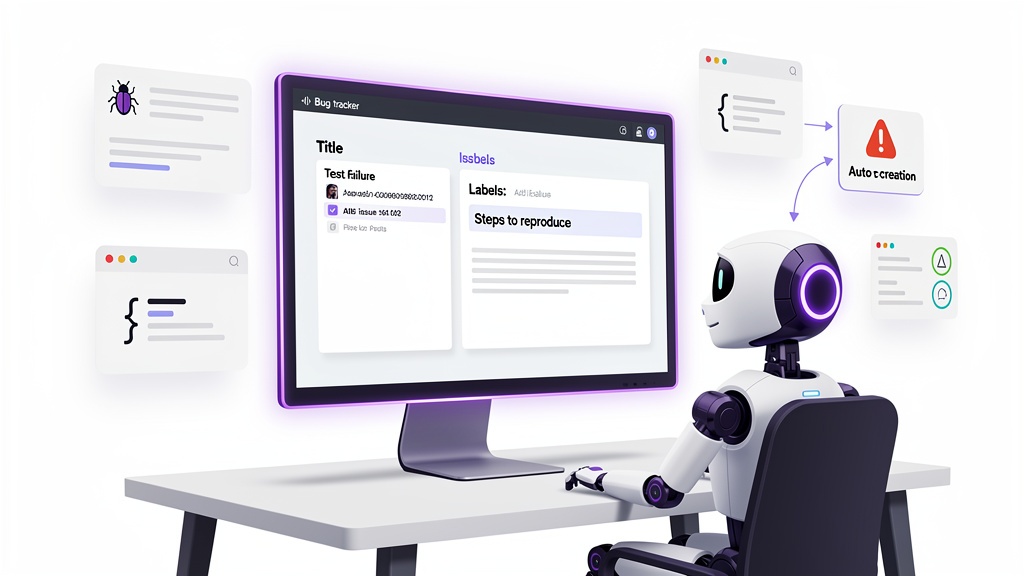
Mục Tiêu Buổi Học
Bạn sẽ tạo hệ thống tự động tạo GitHub issue khi test fail, tiết kiệm thời gian báo cáo bug từ 15 phút thủ công xuống 30 giây tự động.
Phần 1: Lý Thuyết (15 phút)
QA Cũ vs QA Mới
Cách Cũ (Manual Bug Report)
- Test fail → tay mở notepad → ghi chi tiết bug → đi tìm repo để post issue → tốn 15+ phút
- Thông tin bị mất, thiếu context, dễ quên chi tiết
Cách Mới (AI Auto Issue)
- Test fail → CI/CD pipeline → AI analyze test output → auto POST GitHub issue → tốn 30 giây
- Đầy đủ stack trace, test code, environment info
Anatomy of Perfect Bug Report
Một issue GitHub hoàn hảo phải có:
## 📌 Title
POST /api/users returns 500 on invalid email format

## 🔴 Severity
Critical (API crashed)

## 📋 Steps to Reproduce
1. POST /api/users with JSON: {"email": "not-an-email"}
2. Expect: 400 Bad Request
3. Actual: 500 Internal Server Error

## 💥 Expected Behavior
Validate email format before processing. Return 400 with message: "Invalid email format"

## ✅ Actual Behavior
Server crashes with unhandled error. Logs show:
TypeError: Cannot read property 'domain' of null at validateEmail (src/utils.js:45:12)
## 🌍 Environment
- TaskFlow App v1.0.0
- Node.js 18.x
- SQLite3
- Test: `POST /api/users.test.js line 127`

## 📎 Attachments
- Full test output (see CI log below)
- Screenshots of Postman request/response
cm-debugging Phase 1: Root Cause Analysis
Để AI tạo issue tốt, cần 5 bước debugging Phase 1:
- Read Error Messages Carefully — Parse error stack, line number, variable state
- Reproduce Consistently — Test output phải stable, có request/response exact
- Check Recent Changes — Compare git diff, xem commit nào thay đổi
- Gather Evidence in Multi-Component Systems — TaskFlow có 3 layer: Express route → SQLite query → response. Cần lấy log từ cả 3.
- Trace Data Flow — Input (request body) → middleware → handler → database → output (response)
AI auto-issue sẽ implement 5 bước này qua code parsing test output.
Phần 2: Thực Hành (60 phút)
Task 1: Viết scripts/auto-issue.js
File này sẽ parse test output từ Vitest → generate issue body → POST GitHub API.
Tạo file: scripts/auto-issue.js
const fs = require('fs');
const path = require('path');
const https = require('https');

/**
 * Auto Issue Creator for TaskFlow QA
 * Parses Vitest failure output and creates GitHub issue
 *
 * Usage: node scripts/auto-issue.js <test-output-file>
 * Example: node scripts/auto-issue.js test-results.json
 */

class AutoIssueCreator {
  constructor(config = {}) {
    this.githubToken = process.env.GITHUB_TOKEN;
    this.githubOwner = config.owner || process.env.GITHUB_OWNER || 'your-org';
    this.githubRepo = config.repo || process.env.GITHUB_REPO || 'taskflow';
    this.testOutputFile = config.testOutputFile || 'test-results.json';
  }

  /**
   * Step 1: Read Error Messages Carefully
   * Parse Vitest JSON output to extract error details
   */
  parseTestOutput() {
    if (!fs.existsSync(this.testOutputFile)) {
      throw new Error(`Test output file not found: ${this.testOutputFile}`);
    }

    const output = fs.readFileSync(this.testOutputFile, 'utf-8');

    try {
      return JSON.parse(output);
    } catch (e) {
      // Fallback: parse raw text output
      return this.parseRawOutput(output);
    }
  }

  /**
   * Parse raw Vitest text output
   */
  parseRawOutput(rawOutput) {
    const lines = rawOutput.split('\n');
    const failures = [];

    let currentTest = null;
    let currentError = [];

    lines.forEach((line, idx) => {
      if (line.includes('FAIL') && line.includes('.test.js')) {
        currentTest = {
          file: line.match(/(\S+\.test\.js)/)?.[1],
          error: '',
          stack: '',
          line: idx
        };
      }

      if (currentTest && (line.includes('Error:') || line.includes('AssertionError'))) {
        currentTest.error = line.trim();
      }

      if (currentTest && line.trim().startsWith('at ')) {
        currentTest.stack += line + '\n';
      }

      if (line.includes('Tests:') && currentTest) {
        failures.push(currentTest);
        currentTest = null;
      }
    });

    return { failures };
  }

  /**
   * Step 2: Reproduce Consistently
   * Extract request/response from test file
   */
  extractTestContext(testFile) {
    const testPath = path.join(process.cwd(), testFile);

    if (!fs.existsSync(testPath)) {
      return { request: 'N/A', expected: 'N/A', actual: 'N/A' };
    }

    const testContent = fs.readFileSync(testPath, 'utf-8');

    return {
      testCode: testContent.substring(0, 500), // First 500 chars
      request: testContent.match(/POST|GET|PUT|DELETE/)?.[0] || 'N/A',
      endpoint: testContent.match(/['"]\/[^'"]+['"]/)?.[0] || 'N/A'
    };
  }

  /**
   * Step 3: Check Recent Changes
   * Get git commit that triggered this test
   */
  getGitContext() {
    const { execSync } = require('child_process');

    try {
      const lastCommit = execSync('git log -1 --oneline', { encoding: 'utf-8' });
      const branch = execSync('git rev-parse --abbrev-ref HEAD', { encoding: 'utf-8' });
      return {
        commit: lastCommit.trim(),
        branch: branch.trim(),
        author: execSync('git config user.name', { encoding: 'utf-8' }).trim()
      };
    } catch (e) {
      return { commit: 'N/A', branch: 'N/A', author: 'N/A' };
    }
  }

  /**
   * Step 4: Gather Evidence in Multi-Component Systems
   * Compile all debug info
   */
  gatherEvidence(failure, testContext, gitContext) {
    return {
      error: failure.error,
      stack: failure.stack,
      testFile: failure.file,
      testCode: testContext.testCode,
      endpoint: testContext.endpoint,
      commit: gitContext.commit,
      branch: gitContext.branch,
      timestamp: new Date().toISOString(),
      environment: {
        node: process.version,
        platform: process.platform
      }
    };
  }

  /**
   * Step 5: Trace Data Flow
   * Generate issue title and body from evidence
   */
  generateIssueBody(failure, evidence) {
    const { error, stack, testFile, endpoint, commit, branch } = evidence;

    const title = `🔴 Test Failed: ${testFile.replace('.test.js', '')} - ${error.substring(0, 50)}`;

    const body = `
## 🔴 Test Failure Report (Auto-generated)

### 📌 Summary
Test failed in file: \`${testFile}\`
Commit: ${commit}
Branch: \`${branch}\`

### 💥 Error Message
\`\`\`
${error}
\`\`\`

### 📋 Stack Trace
\`\`\`
${stack}
\`\`\`

### 🔍 Endpoint Tested
\`${endpoint}\`

### 🧪 Test Code Context
\`\`\`javascript
${evidence.testCode}
\`\`\`

### 🌍 Environment
- Node.js: ${evidence.environment.node}
- Platform: ${evidence.environment.platform}
- Timestamp: ${evidence.timestamp}

### ✅ Next Steps for QA Team
1. **Reproduce Consistently**: Run test locally with exact commit \`${commit}\`
2. **Debug**: Check recent changes in this branch
3. **Gather Evidence**: Review logs from all 3 layers (Express route → SQLite → response)
4. **Fix**: Update code or test
5. **Verify**: Re-run test to confirm fix

### 📝 Auto-generated by TaskFlow QA Bot
`;

    return { title: title.substring(0, 69), body }; // GitHub title max 69 chars
  }

  /**
   * POST issue to GitHub API
   */
  createGitHubIssue(title, body) {
    return new Promise((resolve, reject) => {
      if (!this.githubToken) {
        reject(new Error('GITHUB_TOKEN not set'));
        return;
      }

      const issueData = JSON.stringify({
        title,
        body,
        labels: ['bug', 'auto-generated', 'test-failure']
      });

      const options = {
        hostname: 'api.github.com',
        path: `/repos/${this.githubOwner}/${this.githubRepo}/issues`,
        method: 'POST',
        headers: {
          'Authorization': `token ${this.githubToken}`,
          'Accept': 'application/vnd.github.v3+json',
          'Content-Type': 'application/json',
          'Content-Length': Buffer.byteLength(issueData)
        }
      };

      const req = https.request(options, (res) => {
        let data = '';

        res.on('data', chunk => data += chunk);
        res.on('end', () => {
          if (res.statusCode === 201) {
            const parsed = JSON.parse(data);
            resolve({
              success: true,
              issueNumber: parsed.number,
              issueUrl: parsed.html_url
            });
          } else {
            reject(new Error(`GitHub API error: ${res.statusCode} - ${data}`));
          }
        });
      });

      req.on('error', reject);
      req.write(issueData);
      req.end();
    });
  }

  /**
   * Main workflow
   */
  async run() {
    try {
      console.log('📋 Auto Issue Creator started...\n');

      // Step 1: Parse test output
      console.log('Step 1: Reading test output...');
      const testOutput = this.parseTestOutput();

      if (!testOutput.failures || testOutput.failures.length === 0) {
        console.log('✅ No test failures found. Exiting.');
        return;
      }

      const failure = testOutput.failures[0]; // First failure
      console.log(`✅ Found failure: ${failure.error}\n`);

      // Step 2: Extract test context
      console.log('Step 2: Extracting test context...');
      const testContext = this.extractTestContext(failure.file);
      console.log(`✅ Test: ${failure.file}\n`);

      // Step 3: Get git context
      console.log('Step 3: Checking git history...');
      const gitContext = this.getGitContext();
      console.log(`✅ Commit: ${gitContext.commit}\n`);

      // Step 4: Gather evidence
      console.log('Step 4: Gathering evidence...');
      const evidence = this.gatherEvidence(failure, testContext, gitContext);
      console.log(`✅ Evidence collected\n`);

      // Step 5: Generate issue
      console.log('Step 5: Generating issue body...');
      const { title, body } = this.generateIssueBody(failure, evidence);
      console.log(`✅ Issue title: ${title}\n`);

      // POST to GitHub
      console.log('Step 6: Posting to GitHub...');
      const result = await this.createGitHubIssue(title, body);

      console.log(`\n✅ SUCCESS!\n`);
      console.log(`Issue created: #${result.issueNumber}`);
      console.log(`URL: ${result.issueUrl}`);

      return result;

    } catch (error) {
      console.error('\n❌ ERROR:', error.message);
      process.exit(1);
    }
  }
}

// CLI entry point
if (require.main === module) {
  const creator = new AutoIssueCreator({
    testOutputFile: process.argv[2] || 'test-results.json'
  });
  creator.run();
}

module.exports = AutoIssueCreator;
Task 2: Thêm Step Vào CI Pipeline
File: .github/workflows/ci.yml — Thêm step auto-issue khi test fail:
name: TaskFlow CI

on: [push, pull_request]

jobs:
  test:
    runs-on: ubuntu-latest
    steps:
      - uses: actions/checkout@v3

      - name: Setup Node.js
        uses: actions/setup-node@v3
        with:
          node-version: '18'

      - name: Install dependencies
        run: npm install

      - name: Run tests
        run: npm test -- --reporter=json --outputFile=test-results.json
        continue-on-error: true  # Don't stop on test failure

      # ✨ NEW: Auto create GitHub issue on test failure
      - name: Create auto issue on test failure
        if: failure()  # Only run if previous step failed
        env:
          GITHUB_TOKEN: ${{ secrets.GITHUB_TOKEN }}
          GITHUB_OWNER: ${{ github.repository_owner }}
          GITHUB_REPO: ${{ github.event.repository.name }}
        run: node scripts/auto-issue.js test-results.json
Task 3: Demo — Break Test & Watch Issue Auto-Create
Step 1: Break a test intentionally
# Edit src/api.js — introduce bug
# Example: Change POST /api/users validation
Step 2: Push to GitHub
git add .
git commit -m "test: reproduce bug for auto-issue demo"
git push origin feature/auto-issue
Step 3: Watch CI Run
- Go to GitHub → Actions tab
- See workflow run
- Test fails → CI step 6 runs
- Automatically creates issue #123 with full context
Step 4: Verify Issue
Issue appears in GitHub with:
- Title:
🔴 Test Failed: api.test.js - ValidationError - Body: Error stack, test code, git context, next steps
- Labels:
bug,auto-generated,test-failure
Kiến Thức cm-continuity Áp Dụng
Auto-issue dùng CONTINUITY.md để:
- Lưu bug pattern từ lần trước (magic number trong validation, etc)
- Tái sử dụng fix từ lần trước (nếu bug tương tự)
- Token savings: 50 tokens để lookup pattern vs 3,000 tokens để re-analyze từ đầu
📝 Quiz (5 câu)
- Anatomy: Một issue GitHub hoàn hảo cần có những phần nào? (5 phần bắt buộc)
- Automation: Thời gian tiết kiệm từ manual (15 phút) xuống auto (? giây)?
- Phase 1: Nêu 5 bước cm-debugging Phase 1 để analyze bug
- GitHub API: Code tạo issue dùng HTTP method nào? Headers nào bắt buộc?
- CI/CD: Step
if: failure()dùng để làm gì?
🏠 Homework (30 phút)
- Chạy demo: Push code với intentional bug → verify issue auto-created
- Customize: Thêm labels dựa trên error type (e.g., "bug:validation", "bug:database")
- Extend: Thêm mention
@qa-teamtrong issue body để notify - Test: Viết unit test cho
generateIssueBody()method
📚 Resources
- GitHub REST API: https://docs.github.com/en/rest/issues
- Vitest JSON Reporter: https://vitest.dev/guide/reporters.html
- Node.js https module: https://nodejs.org/api/https.html